
What to Expect in Your First Online Music Lesson
What to Expect in Your First Online Music Lesson
If you’ve never taken an online music lesson before, it’s natural to wonder how it actually works. Will it feel awkward? Can the teacher really hear me well enough to give feedback? What do I need to have ready? These are completely reasonable questions, and the answer to all of them is reassuring: your first online music lesson is probably going to be a lot more comfortable and productive than you’re expecting.
Here’s a clear-eyed look at what the experience is actually like, and how to make your first lesson a great one.
Before the Lesson: Getting Set Up
A successful first online music lesson starts with a little preparation. You don’t need a professional recording studio, but you do want to make sure the basics are in place.
Technology checklist:
- A device with a camera and microphone: a laptop, tablet, or desktop with a webcam all work well
- A stable internet connection (WiFi is fine for most students; wired is slightly more reliable if you have the option)
- The video conferencing app your teacher uses, Zoom and Google Meet are common; your teacher will let you know ahead of time
- Your instrument, tuned and ready to go
- Any sheet music, books, or materials your teacher has mentioned
It’s worth doing a quick tech test before your first lesson. Open the app, make sure your camera and microphone are working, and check that you can hear clearly. Five minutes of prep now prevents awkward troubleshooting at the start of your lesson.
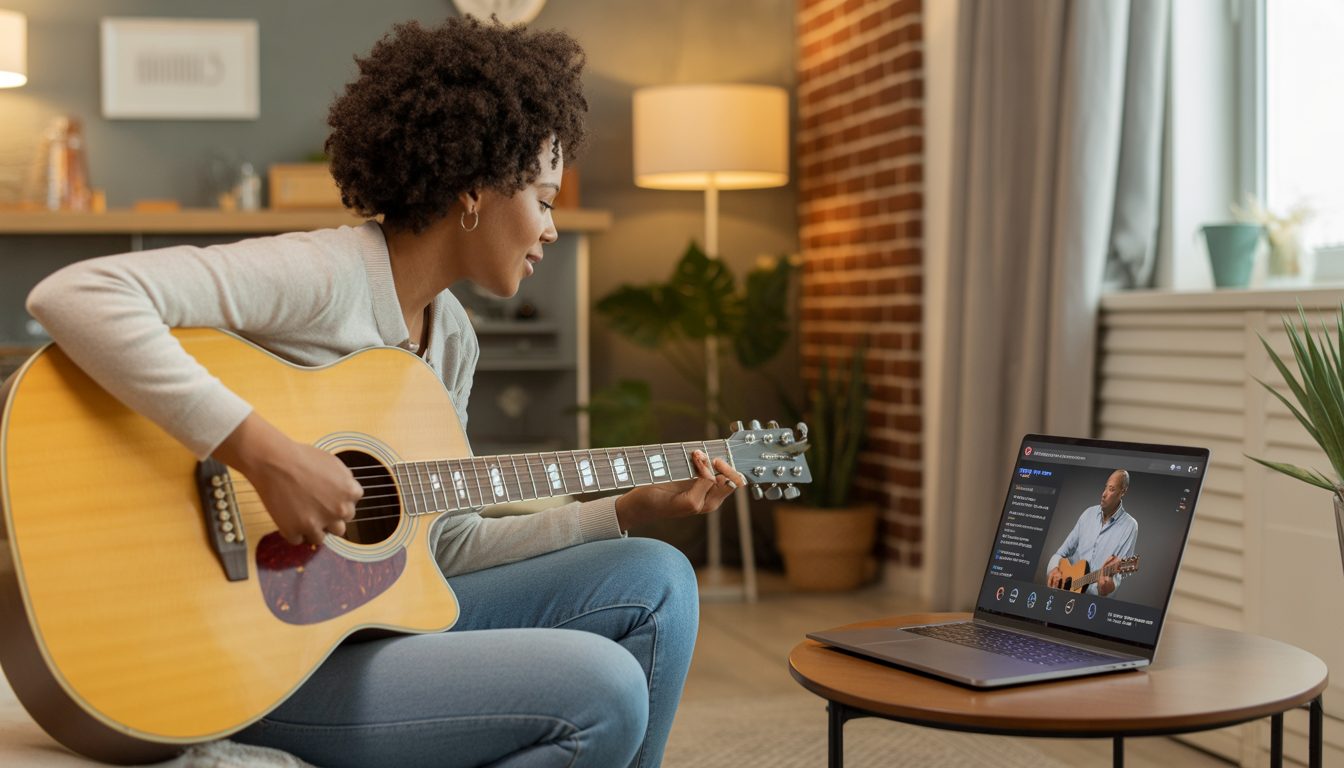
Position your device so that the teacher can see both your hands and your face, or at least the part of your playing that matters most. Guitarists and pianists often place the camera slightly to the side so the teacher can see finger placement. Vocalists do well with the camera at face level.
What Happens in That First Lesson
Your first online music lesson typically starts with a conversation, not a performance. A good teacher wants to understand where you’re starting from. Your experience level, what you hope to learn, your favorite music, and any challenges you’ve had in the past.
Don’t worry about impressing anyone. Teachers genuinely want to meet you where you are. If you’ve never touched an instrument before, that’s a perfectly fine place to start. If you’ve been playing for a few years and want to improve specific skills, this conversation is your chance to share that.
After the initial getting-to-know-you portion, most teachers will do a little assessment, asking you to play something simple, demonstrate what you know, or just show them your setup. From there, the lesson takes shape based on what you need.
In terms of what you’ll actually work on: beginners often spend the first lesson learning basic posture and technique, getting comfortable with the instrument’s feel, and learning one or two fundamental concepts. Students with some experience might dive a little deeper into a specific skill or piece.
How Feedback Works Online
This is the question most first-time online students have, and the answer is: remarkably well. Experienced online music teachers have learned to give feedback clearly and creatively in a video environment.
They’ll talk you through adjustments verbally, demonstrate techniques on their own instrument so you can mirror them, and watch your playing closely for technique issues. Many teachers use a second camera angle, a whiteboard, or screen-sharing to illustrate concepts visually. You may be surprised at how naturally feedback flows once you’re in the flow of the lesson.
Audio quality does matter, if your teacher can’t hear you clearly, or vice versa, don’t hesitate to mention it and troubleshoot together. Most audio issues are simple fixes (adjusting microphone distance, reducing background noise, checking settings).
After Your First Lesson
A good teacher will end the lesson with clear guidance on what to practice before the next session. Write it down, or take a photo of any notes. The period between lessons is where most of your growth actually happens, so understanding exactly what to practice is crucial.
If you feel a little overwhelmed after your first lesson. That’s completely normal. You’ve taken in a lot of new information. Trust that it will start to feel more familiar quickly. By your third or fourth lesson, the online format will feel as natural as any other.
Your first online music lesson is the beginning of something genuinely exciting. You’ve taken the step, now just show up, stay curious, and trust the process.
How to Find a Good Music Teacher on Tunelark
Once you’re ready to start, the right teacher makes the difference between fast progress and slow frustration. Many Tunelark teachers specialize in working with new students at this stage.
1. Browse our teachers and filter by your chosen instrument.
2. Read bios. Look for teachers who explicitly mention working with beginners and who describe their teaching approach (not just their credentials).
3. Book a trial lesson with one whose profile resonates.
After the trial, ask yourself: did the teacher meet you where you actually are, or were they running through a generic beginner curriculum?
The early weeks of any instrument are where habits get formed. A good teacher gets you started right.
Frequently Asked Questions
What should I do to prepare for my first online music lesson?
Test your camera and microphone, charge your device, tune your instrument, have any books or music ready, and pick a quiet space. Five minutes of setup prevents most first-lesson hiccups.
What technical setup do I need?
A laptop, tablet, or desktop with camera and microphone, plus a reliable internet connection. Most platforms work in a regular web browser, no special software downloads required.
How long is a typical first lesson?
Usually 30–45 minutes. Some teachers offer shorter discovery lessons (15–20 minutes) to assess fit before booking a full lesson.
Should I have my instrument tuned before the lesson?
Yes if you can. It saves lesson time. If you don’t know how, your teacher will tune for you and teach you how during the lesson. Tuners are inexpensive and tuning apps are free.
What if I’m too nervous to play during the first lesson?
Tell your teacher. Experienced teachers expect this and will start with easier ground, talking through your goals, demonstrating, or having you try a simple exercise. No pressure to perform.
Keep reading
About Jennifer Heath
I'm Jennifer Heath, VP at Tunelark and a lifelong singer. I joined the company in 2020 and oversee much of what makes Tunelark work for our students and our teachers. That includes hiring, training, and supporting our instructors, customer and student support, marketing, and the day-to-day operations of the business.
I started voice lessons at age 7, sang with professional choirs that toured internationally through my teens, and performed solo at competitions and community events across Texas before stepping away in my twenties to study other interests, including business management. I haven't performed professionally in years, but I'll happily take the microphone at a karaoke night. Music has been in me every day of my life. Being able to spend the last six years working inside an online music education company, while traveling the world full-time, has been a perfect fit.
I believe deeply that music belongs in every life. For the self-expression, the discipline, the comfort, and the simple joy of it.
The Tunelark blog is where we share what we've learned about online music lessons: how to choose an instrument and a teacher, what to expect from your first lesson, how the major platforms compare, and how to keep music going through the busier seasons of life. Practical, honest writing you can act on.
Who we are
Tunelark provides virtual 1-on-1 music lessons to learners
of all ages.
We remove the barrier of geography and connect learners and teachers — wherever they are. Our growing community of vetted, experienced music educators have expertise in a wide variety of instruments, genres, and skill levels. We are passionate about connecting each student with the perfect instructor.

